External Services
External services allow transactions to execute business logic by invoking third-party systems through REST or SOAP communication protocols.
SOAP services have a structured protocol and use an XML format. In Studio, they are created by uploading a WSDL file. They are stored in the database and cannot be versioned.
REST services are more flexible and support multiple data formats. They are stored in Git and can be versioned.
Navigate the External Services Page
To access the External Services page in your Studio environment:
Log in to Studio.
Go to the Transaction Logic tab in Studio's dashboard.
Click your global transaction repository and access the branch you want to work in.
Click External Services in the overview or go to Logic > External Services from the top menu.
From the External Services page, you can view all the external services created in the Studio environment, both SOAP and REST. Services are displayed with basic information such as name, description and protocol, and are organized in two sections: REST and SOAP.
Note
Services are also available in the Services tab in the transactions editor.
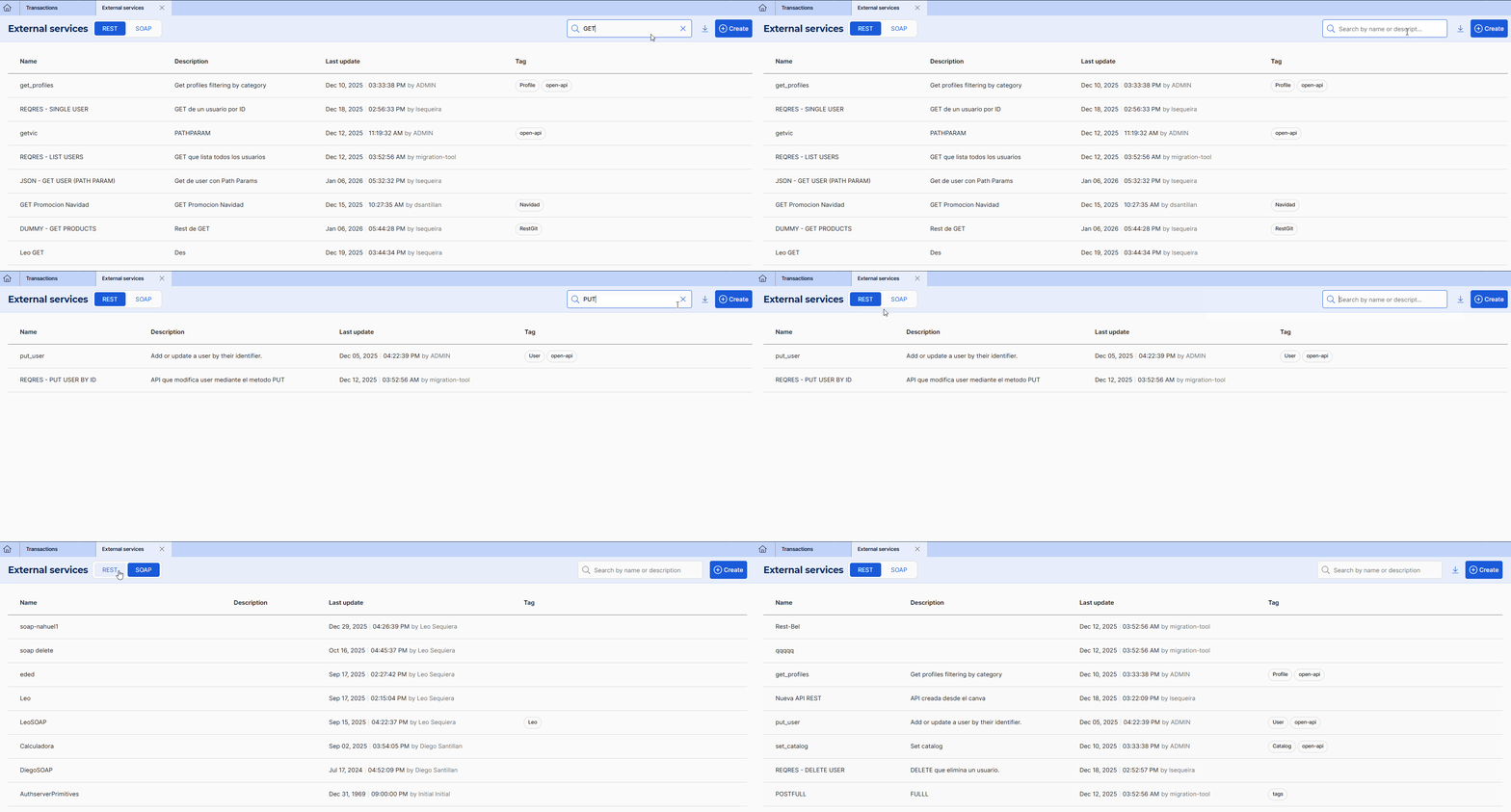
From the REST tab, you can see all the REST services created on the selected branch with their basic information, and create new services. You can find services by seaching by name or description.
Additionally, you can hover over a service to perform several actions:
Click Edit (
 ) to modify the service. If the service is in use, a pop-up window appears when saving changes and lists all dependencies.
Warning
Changes made to a service that is currently in use by transactions and/or action libraries affect all its dependencies. This means that the service is updated in every entity that invokes it. Before editing a service, review its dependencies to avoid unintended updates.
Click Delete (
 ) to delete the service.
Warning
External services that are in use in transactions or action libraries cannot be deleted.
Click Dependencies (
 to see where this service is being used. This option displays a pop-up window that lists the transactions and action libraries where this external service is in use.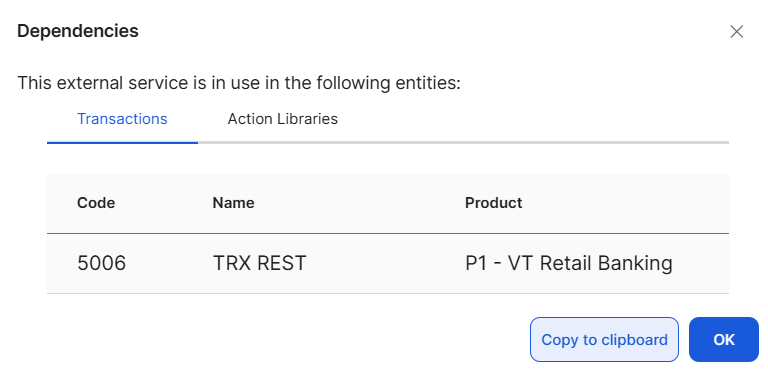
From this tab, you can also import an Open API collection by clicking Import. Refer to Import REST External Services to learn more.
Refer to Create a REST Service to learn how to create a REST service in Studio.
From the SOAP tab, you can see all the SOAP services created on the environment with their basic information and create new ones. You can find services by searching by name or description. Since SOAP services are stored in the database, this list will not change regardless of the selected branch.
You can hover over a service to edit it() or delete it (). Refer to Create a SOAP Service to learn how to create a SOAP service in Studio.
Note
You can also create external services from the Services tab in the transactions editor.