Import Open API Collections (REST)
From Studio, you can import an OpenAPI Collection from the REST external services tab to import one or more REST external services at once. This improves API integration by allowing you to automatically generate requests and data structures based on a standardized specification. This helps ensure consistency between your API documentation and your implementation, and reduces configuration times.
To import an Open API Collection, follow these steps:
Go to the External Services page.
Open the REST services tab.
Click Import. A modal window opens.
In this window, you can drag and drop a JSON, YAML or YML file, or you can select a file from your device. Each service must contain, at least, a name, a description, a method (such as GET, POST, PUT, DELETE, etc.), and a URL.
The platform processes the services to be imported and displays a new window where you can validate them and review any errors. This modal window displays all the services included in the collection, divided into different dropdowns. Expand each section to read which services can be imported and which ones are discarded. Read below to learn about each state:
Tip
Hover over the tooltip in each chip for more information.
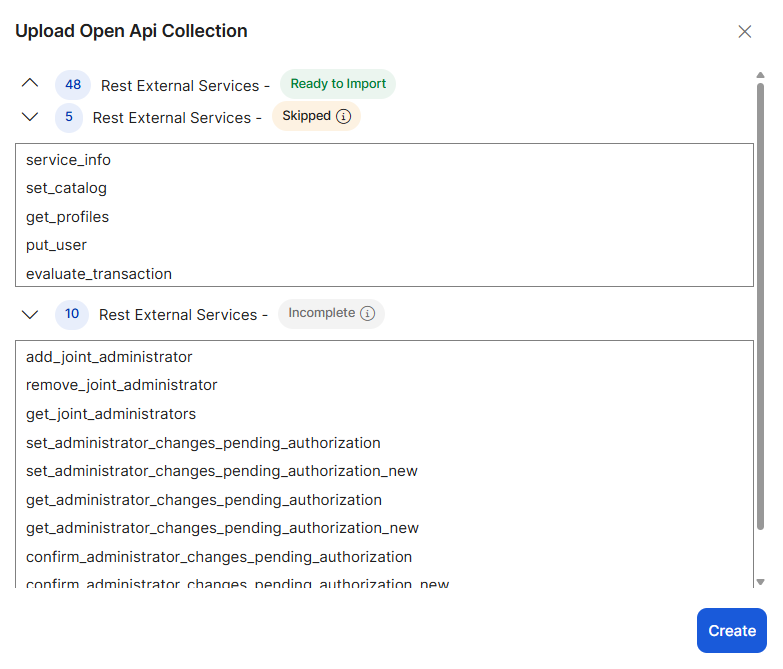
First, you see the services that are ready to import, which are those that are not already created in the environment and can be imported correctly.
Skipped services cannot be imported since there are services with the same name already created in the environment.
Incomplete services cannot be imported because they do not contain one or more of the mandatory fields, such as name, description, method and/or URL.
Click Create to import and create the services that appear as Ready to import. The import process only creates new services in the environment. If a service already exists, the system does not update the existing service. Read the Import and Fields Mapping Criteria section below to learn how Studio maps the fields and values of the imported services and creates them in the environment.
Important
This feature supports OpenAPI 3.0.0 version or higher.
Import and Fields Mapping Criteria
When importing an OpenAPI collection, keep in mind the following criteria to understand how Studio maps the service's information to the fields in Studio.
If the imported service has a summary, it is imported as the service's name. If the summary is not present, the operation ID is used instead.
If the imported service already has the system-generated headers, their values are overwritten with the value obtained from the key.
Non system-generated headers are created as dynamic headers (from input), and the values can be assigned later on the canvas when consuming the service.
The body defined in OpenAPI is mapped with its structure and data type, and is adapted to the REST domain in the platform. It can then be visualized and edited in the canvas. If the service then responds with the same structure, data is mapped in the Successful response field. However, if you are not sure whether it will respond with the same structure, you can use the Default Response field. This is also explained in
The authorization is imported as custom (from input) without a value. The value can be assigned later on the canvas when consuming the service.