Lambda Libraries
Click the Lambda libraries tab to see a list of all the lambda libraries created on the Libraries page. Refer to the annotated image below to learn more.
Within the Lambda libraries tab ( > Libraries > Lambda libraries) you see a list of all lambda libraries created within the Studio environment. To find a lambda library, use the search bar and search by name or description.
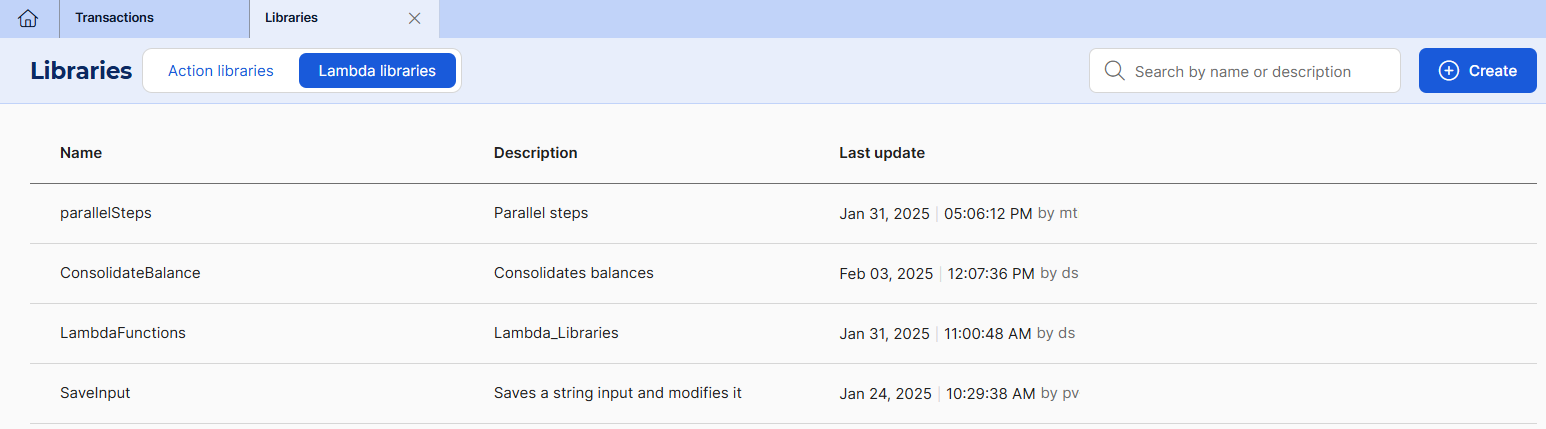
From this page, you can create a new lambda library, which redirects you to lambda processes editor, and edit existing lambdas.
There are additional actions you can choose from by clicking the three-dot icon next to a lambda library:
You can delete a lambda that is not being used, that is, that does not have any dependency, since it might affect the transaction's functionality.
You can verify a lambda library's dependencies. By doing this, you can verify if that lambda library is being used in one or more transactions in the environment. A modal shows the code, name and product of the transactions where the lambda is being used.
When there is one or more users working on the same lambda library you are working on, you will see a user icon with the number of users present in that entity. Hover over the icon to see who that user is. This number and list of users is updated in real time.
Concurrent Editing
Verifying if someone else is working on your entities is useful to prevent concurrency issues, such as loss of updates, since saving changes when another user is still working on the entity will make them lose any changes made.
Read Create or Edit a Lambda Library to learn more about this process, or Libraries in the Transactions section to learn how to use your action libraries within a transaction.