Screens Use Cases
Note
The On Long Pressed attribute is an action located in the Events & Actions section of the Actions tab in the right panel.
The following use cases refer to combinations between components and screen structures that can be clicked or pressed, and use the On Long Pressed attribute together with registers configuration, container or repeater structures and competence with the On Click attribute.
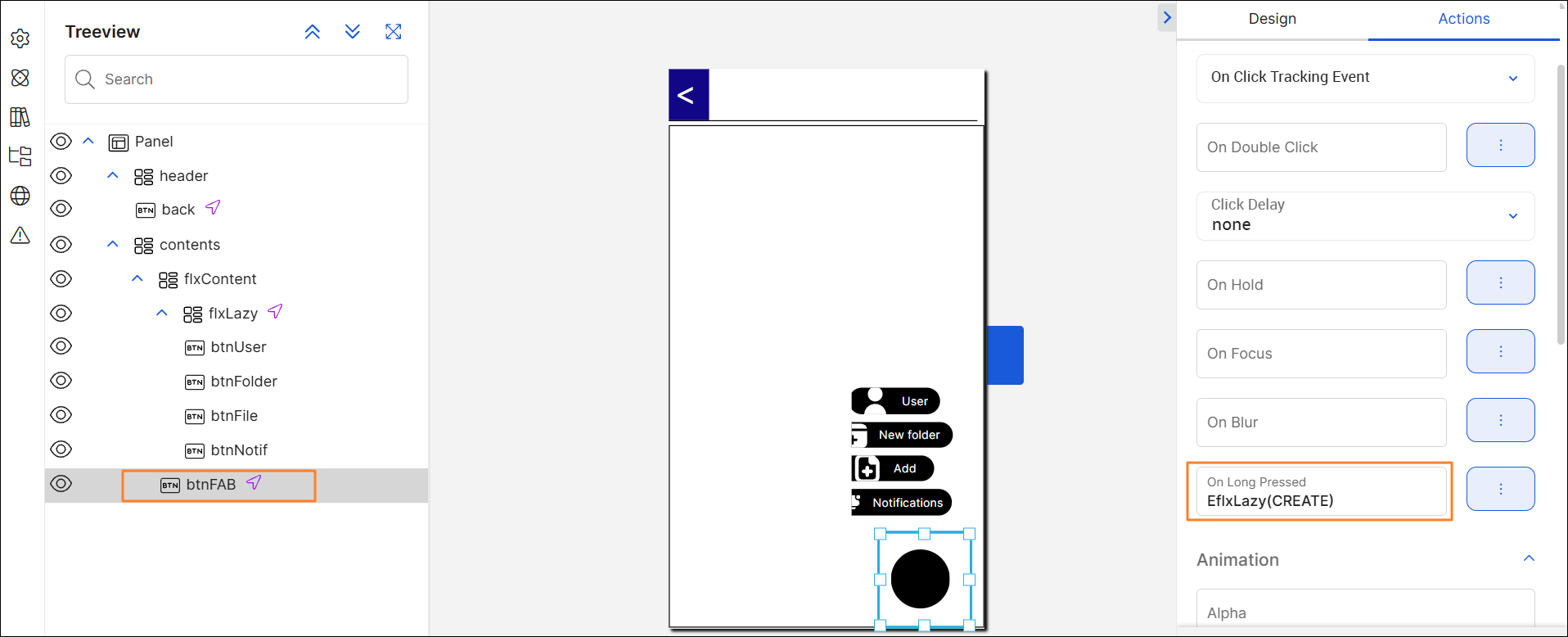
Context: You need to build a screen with a menu located in the right bottom that shows additional options to the user. This menu must be configured through button components within a flex container component and is not visible to the user unless they click on a + icon. For this use case, the following structure must be configured as described below.
Parent flex container that covers the whole body of the screen. It includes:
Name: contents.
First child flex container within contents. It includes:
Second child flex container within flxContent. It includes:
Name: flxLazy.
Lazy Load attribute configured in True.
On Click attribute configured with a CLOSE event. As a result, when the user clicks on any area within the flex container, the menu will close and disappear from the screen.
Button component within flxContent. It includes:
Name: btnFAB.
On Long Pressed attribute with an CREATE event configured with the flxLazy flex container. For this example: EflxLazy(CREATE). This means that, when the user keeps pressing the component for a specific period, the options in the flxLazy flex container will appear on screen.
On Click attribute with a DESTROY event configured with the flxLazy flex container. For this example: EflxLazy(DESTROY). This means that, when the user only clicks on the button, the the options in the flxLazy flex container will disappear from the screen.
Name: flxContent.
Position Type: Absolute.
One child flex container and one button.

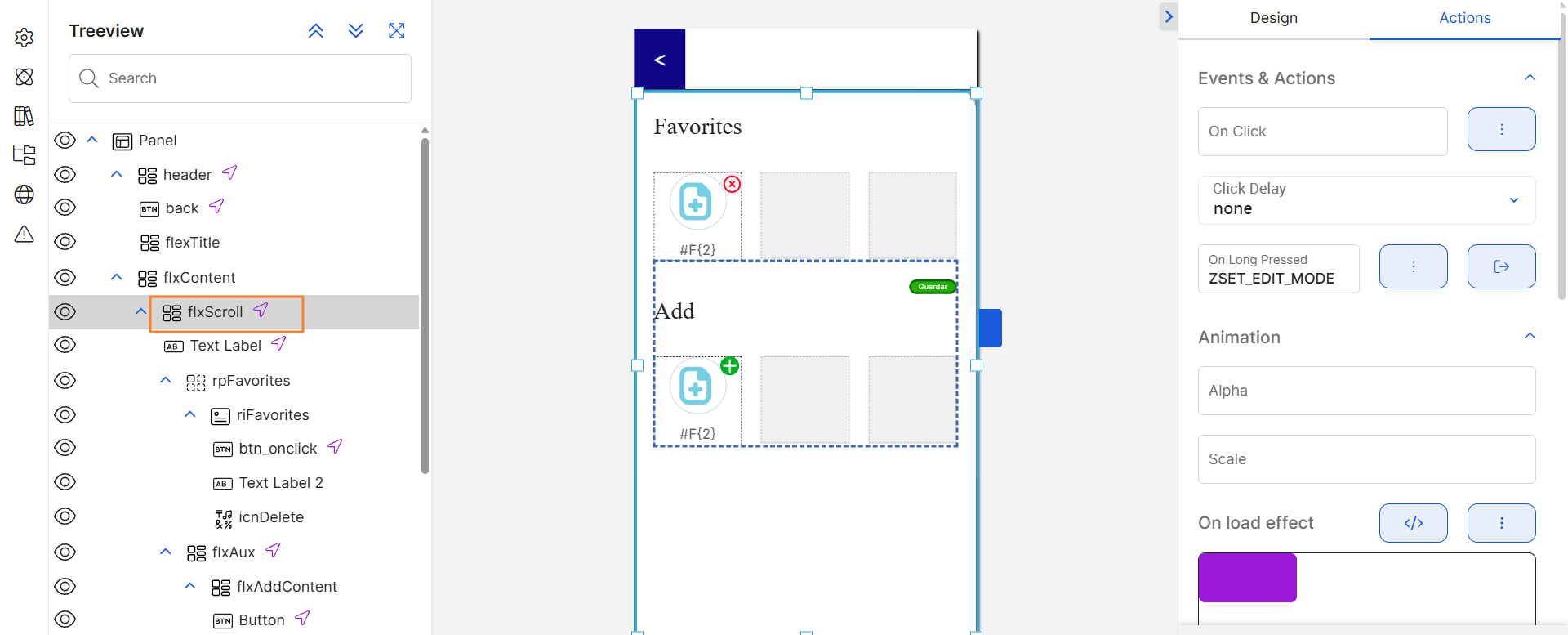
Context: You need to build a screen containing a Favorites menu. If the user presses for a specific period in any area within the menu, (on or around the icons available), a secondary menu must open, which allows them to edit and add new options to Favorites. The options in the Favorites menu are included within a flex container component. For this use case, the following structure must be configured as described below.
On Long Pressed attribute configured with an event invoking a lambda process that sets the edit mode. For this example, ZSET_EDIT_MODE, which invokes the name of the process previously configured.
Repeater component that represents the favorite options of the user. To learn how to use the repeater component, read Repeater.
Tip
By using the On Long Pressed attribute, you can define specific actions or events to be triggered upon a single click, which differ from the action set when the user presses for a longer period of time.